

How to make a flipbook from a video
Updated · 7 min read
You can turn any short video into a flipbook. Print its frames as small pages, stack them in order and bind one edge. Flip through, and the moment plays again on paper. The Flipage app makes the pages in minutes. You can also make them by hand with our free template.

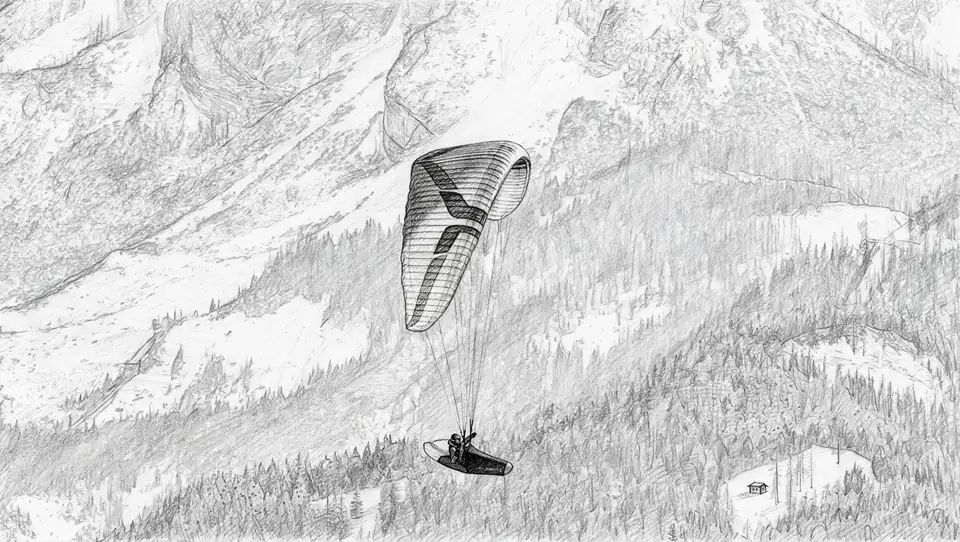
In short: video to flipbook in 5 steps
- Pick a short clip with one clear movement.
- Turn it into numbered pages with the Flipage app, or draw them on our free printable template.
- Print on A4 cardstock (230 GSM), in landscape, at 100% size.
- Cut along the borders and stack the pages in number order.
- Bind the left edge with a clip, staples or tape, and flip.
What is a flipbook?
A flipbook (or flip book) is a little stack of pictures that tells a tiny story. Each page shows the same scene a split second later. Flick the pages fast with your thumb, and your eyes blend them into motion. It's a mini movie you can hold in your hand.
Flipbooks have been around since the 1860s, long before cinema. Kids draw them in the corners of notebooks. Animators use them to test movement. A video is a good place to start, because it already has every in-between frame you need.
Choose the right video
A flipbook shows a few seconds of movement, so the clip matters more than anything else. The best videos for a flipbook have:
- One clear movement: a jump, a dance move, a wave, a goal, your dog running.
- A steady camera. If the camera moves too, the pages wobble.
- The subject large in the frame, so it's easy to see on a small page.
- Good light and a simple background.
Keep it short: pick the one or two seconds where the action happens and leave out the rest.
Make the pages with Flipage
Flipage is a video-to-flipbook app. It does the slow parts for you: it takes the frames, redraws them in the style you choose and lays them out on A4 sheets, numbered and ready to cut.
-
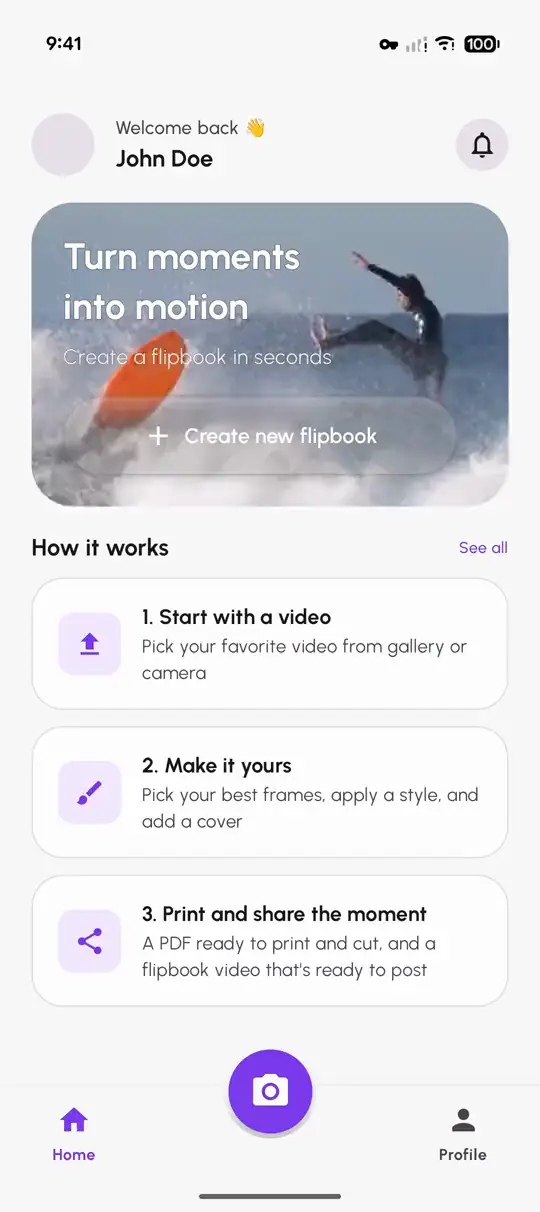
Pick a video
Choose a clip from your gallery, record one with the camera, or share a video to Flipage from another app.
-
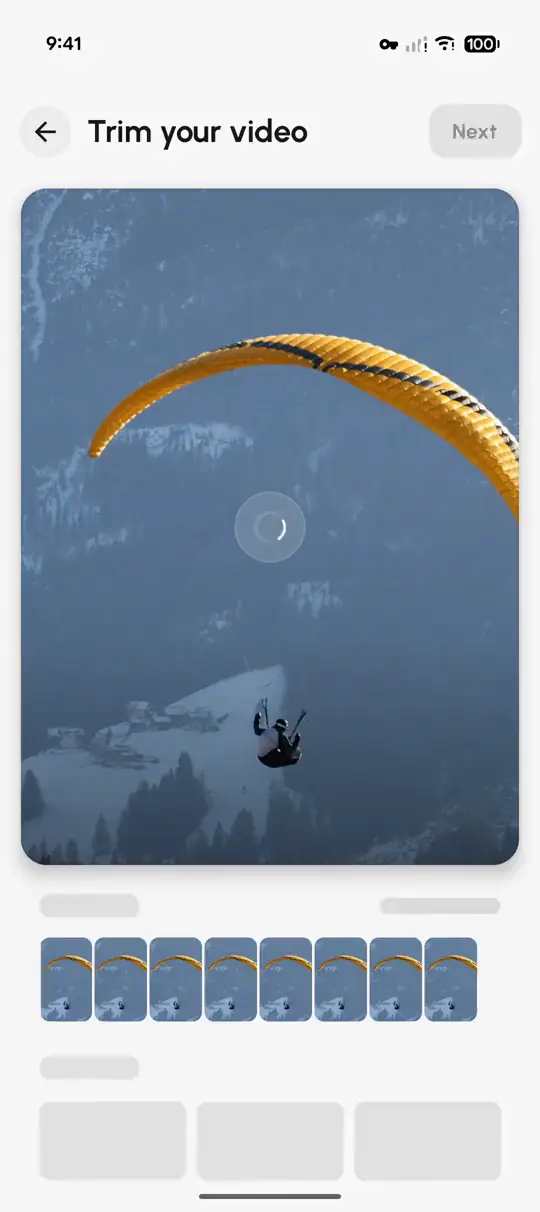
Choose the moment
Trim the video to the seconds that matter and set how many pages to print. More pages make a smoother flip.
-
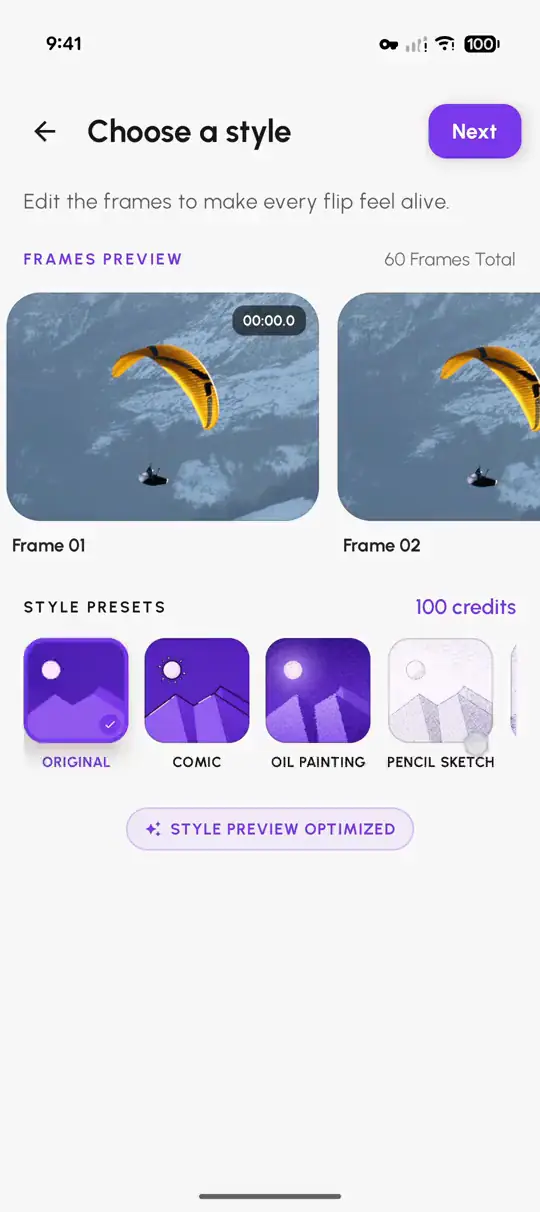
Pick a style
Keep the original frames, or choose a style such as Pencil Sketch and every page is redrawn in it.
-
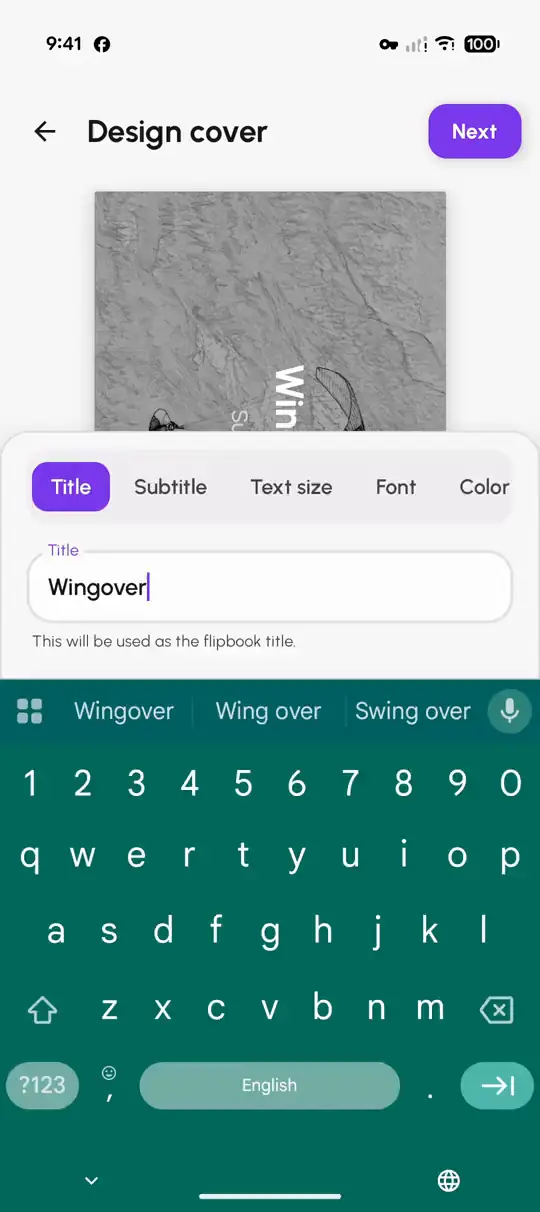
Add a cover
Give your flipbook a title, a subtitle and its own cover look. Handy if it's a gift.
-
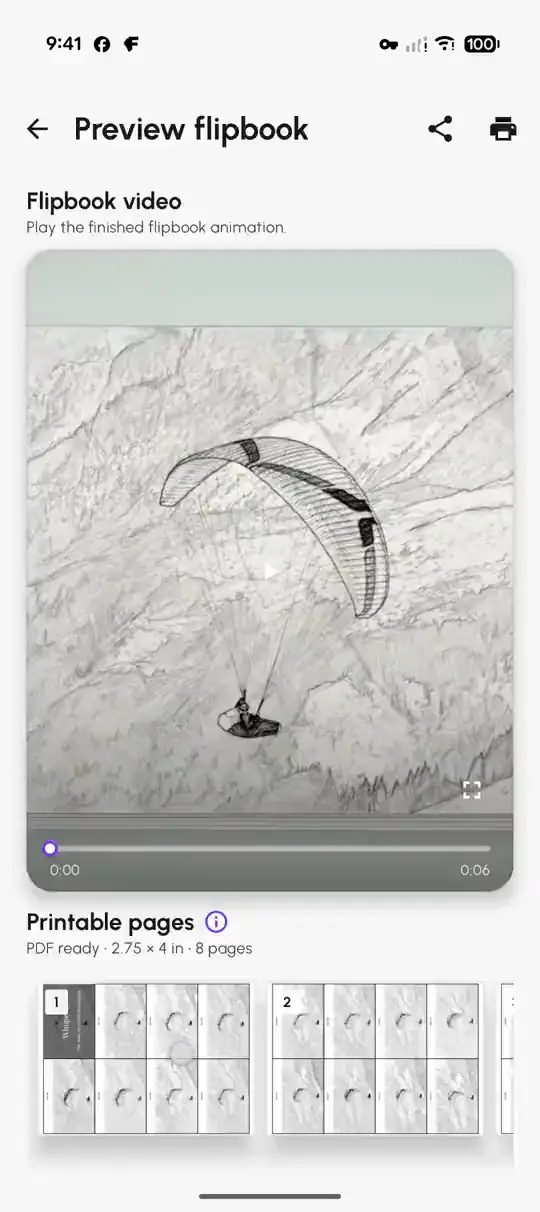
Print and share
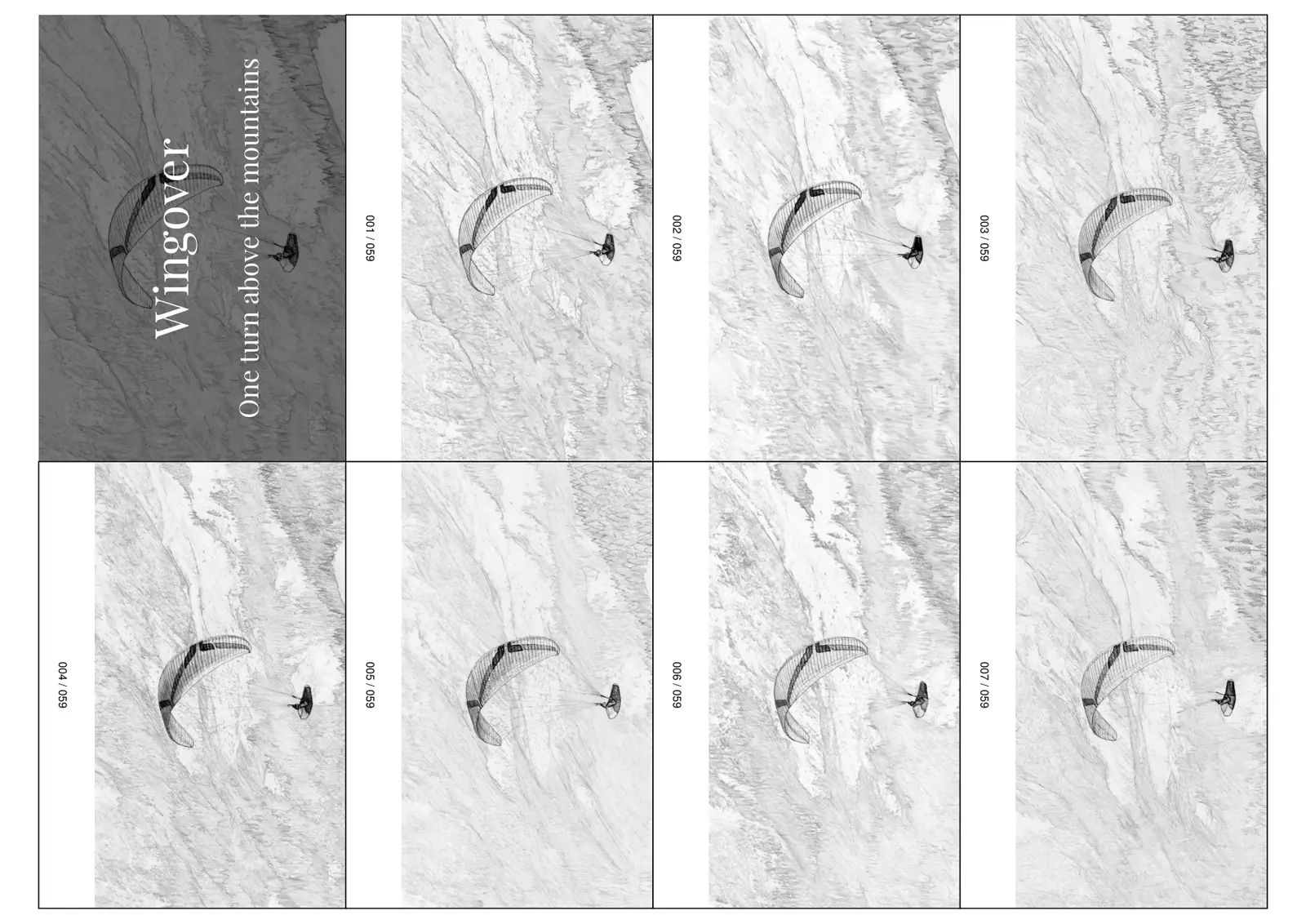
Get a print-ready PDF on A4 sheets with cut lines and numbered pages, plus a flipbook video to post.
Free to start. The Original style is free. Other styles, like Pencil Sketch, cost 1 credit per page, and new accounts get 100 welcome credits.

Print, cut and bind your flipbook
Paper
Thick paper flips best. Use A4 cardstock, 230 GSM. Ordinary printer paper is fine for a first try, but thin pages bend and stick together.
Print on A4 in landscape, at 100% (actual size). Turn off "fit to page" and any scaling. Otherwise the pages print at the wrong size.
Cut
Cut along the printed borders. A paper trimmer, or a craft knife with a metal ruler, gives straight and even edges. Scissors work too if you go slowly.
Stack and bind
- Keep the pages in number order. Each page has its number in the strip on the left.
- Tap the stack on the table until all the edges line up.
- Bind along the numbered strip with a binder clip, two staples or strong tape around the edge.
Hold the strip in one hand. Let the free edge run under your thumb. The faster you flip, the smoother it moves.
Free printable flipbook template
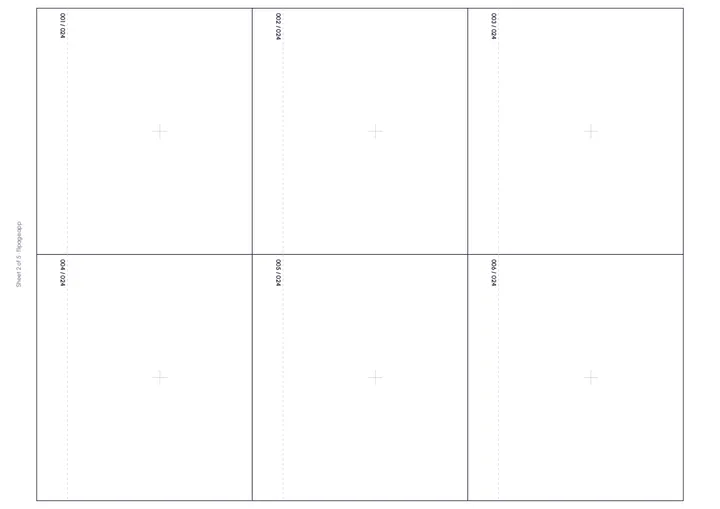
24 blank, numbered pages on 4 A4 sheets, six per sheet. Same page size and binding strip as the pages Flipage prints. A faint cross marks the same spot on every page, so your drawings stay lined up. Made for DIY flipbooks, and free for personal and classroom use.
Make a DIY flipbook by hand
Prefer a DIY craft project? A homemade flipbook is a good craft project for home or class. Print the free template above and use it in one of two ways.
Draw the frames
Play the video and pause it every few frames. Draw what you see on each page, moving the subject a little each time. Keep the background in the same place, using the faint cross as your guide.
Glue in stills from the video
Take screenshots of the paused video at even steps. Print them small and glue one onto each page, in order. It takes longer than the app, but it's a fun project to do with kids.
Either way, finish the same way: cut, stack in number order and bind along the left strip.
Questions about flipbooks
What is a flipbook?
A flipbook is a small stack of pages, each showing a picture a split second after the one before. When you flip the pages quickly with your thumb, the pictures blend into motion, like a tiny movie on paper.
Can you make a flipbook from a video?
Yes. A video already contains every frame of the movement. Pick a short clip, turn its frames into numbered pages with an app like Flipage or by hand, then print, cut and bind them.
Which videos work best for a flipbook?
Short clips with one clear movement, filmed with a steady camera and the subject large in the frame: a jump, a dance move, a wave, a pet running. The Flipage app shows how long your clip can be.
How many pages does a flipbook need?
About 10 to 12 pages per second of movement look smooth, so 20 to 40 pages cover most short actions. More pages make a smoother flip. In Flipage you choose the number of pages when you trim the clip.
How big are flipbook pages?
Flipage prints 8 pages per A4 sheet (4×2 layout), each 7 × 10.2 cm (2.75 × 4 in), or 6 larger pages per sheet (3×2 layout), each 8.9 × 10.2 cm (3.5 × 4 in). Every page has the picture on the right and a numbered strip on the left for binding. The free template uses the 6-page layout.
What paper is best for a flipbook?
A4 cardstock, 230 GSM. Thick paper flips smoothly and doesn't stick. Ordinary printer paper works for a first try.
How do you bind a flipbook?
Stack the pages in number order, line up the edges, and bind along the numbered strip with a binder clip, two staples or strong tape.
How do I make a DIY flipbook at home?
Print the free flipbook template on A4 cardstock. Draw one picture per page, or glue in stills from a video, moving the subject a little each time. Cut the pages out, stack them in number order and bind the left edge with a clip, staples or tape. All you need is a printer, scissors and a clip.
Can I give a flipbook as a gift?
Yes. A flipbook makes a personal DIY gift. Add a cover with a title and subtitle in the Flipage app, print it at home, and you have a handmade gift for a birthday, an anniversary, a wedding, Mother's or Father's Day, or Valentine's Day.
Is Flipage free?
Downloading Flipage is free, and so is the Original style. Other styles, like Pencil Sketch, cost 1 credit per page, and new accounts get 100 welcome credits. Flipage is on Android now, and the iPhone version is on the way.
Turn moments into motion you can hold
Pick a video, choose the moment, and Flipage makes the flipbook pages for you.